BigPicture JiraCloud Release Notes 8.0 (2020-11-02)
- Anna Ciepłota
| Module | Feature | Description | Sneak peek |
|---|---|---|---|
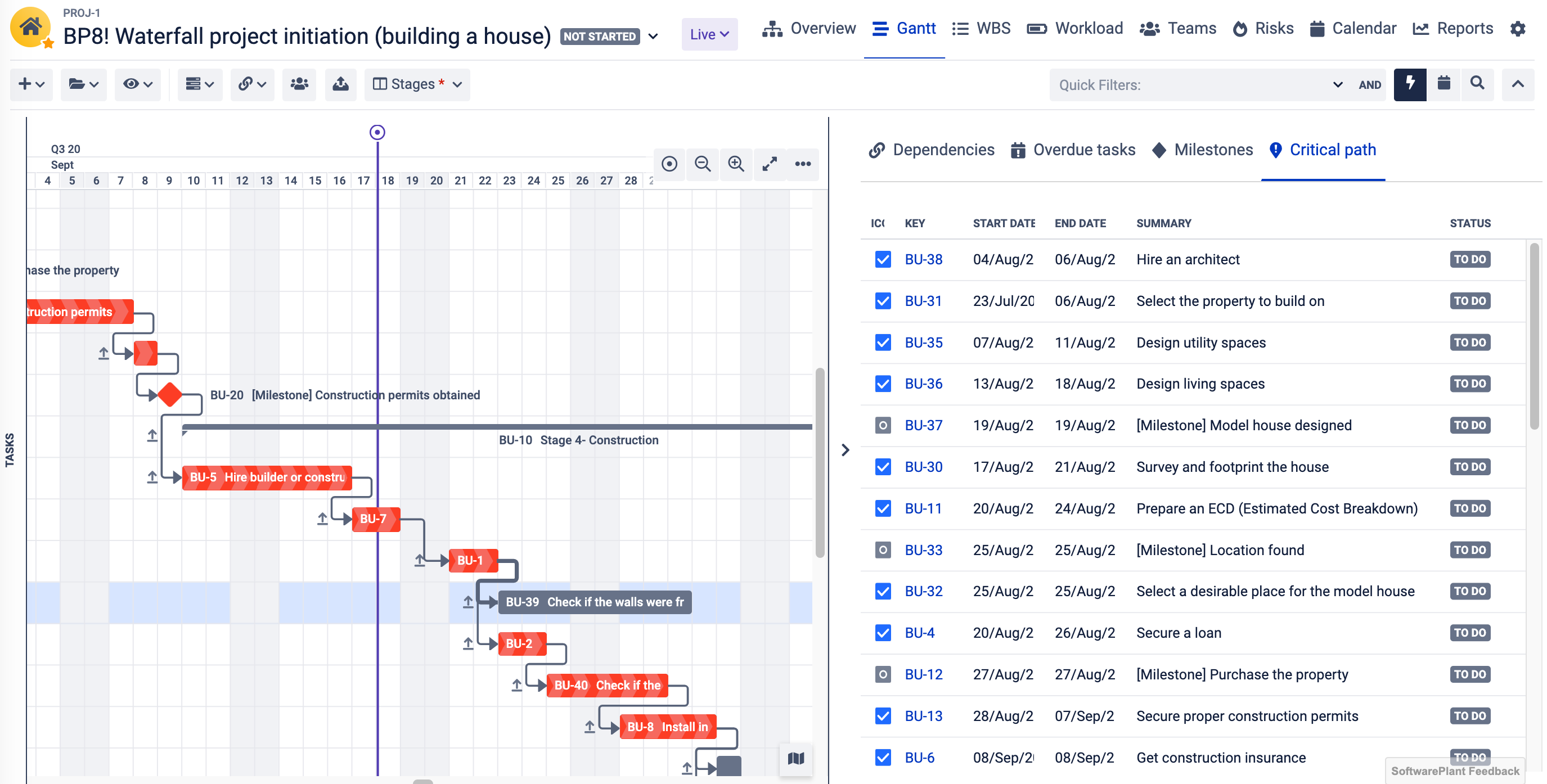
| Gantt | New Gantt module is here! | The new Gantt module officially replaces the previous one. It is packed with new features but also includes improvements and redesign of already know features such as the grouping, critical path, column views. |
|
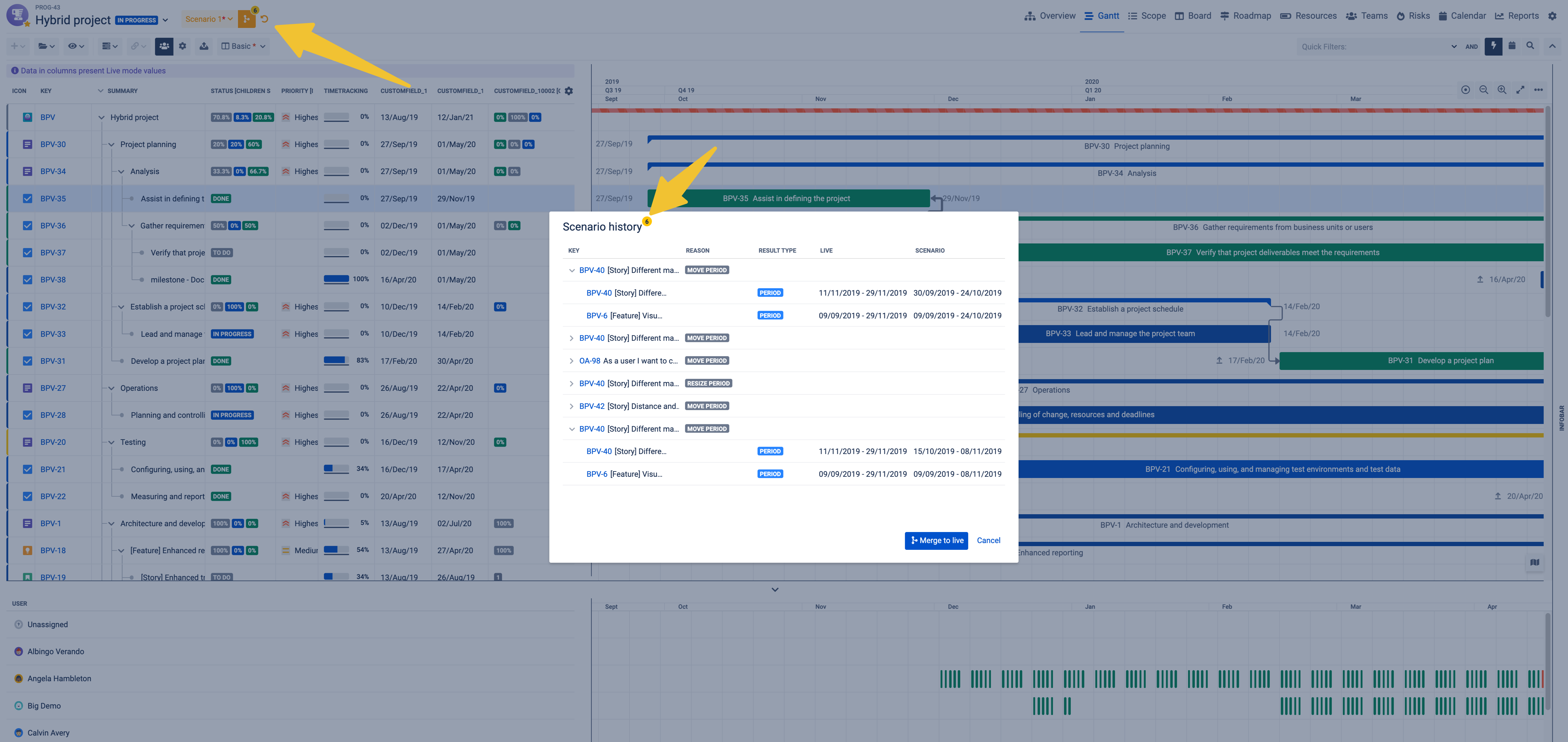
| Gantt | What if scenario mode | Create and save different scenarios to find the perfect one. Finally, you can now undo each step and view the history of changes directly on the Gantt and merge to commit the changes. |
|
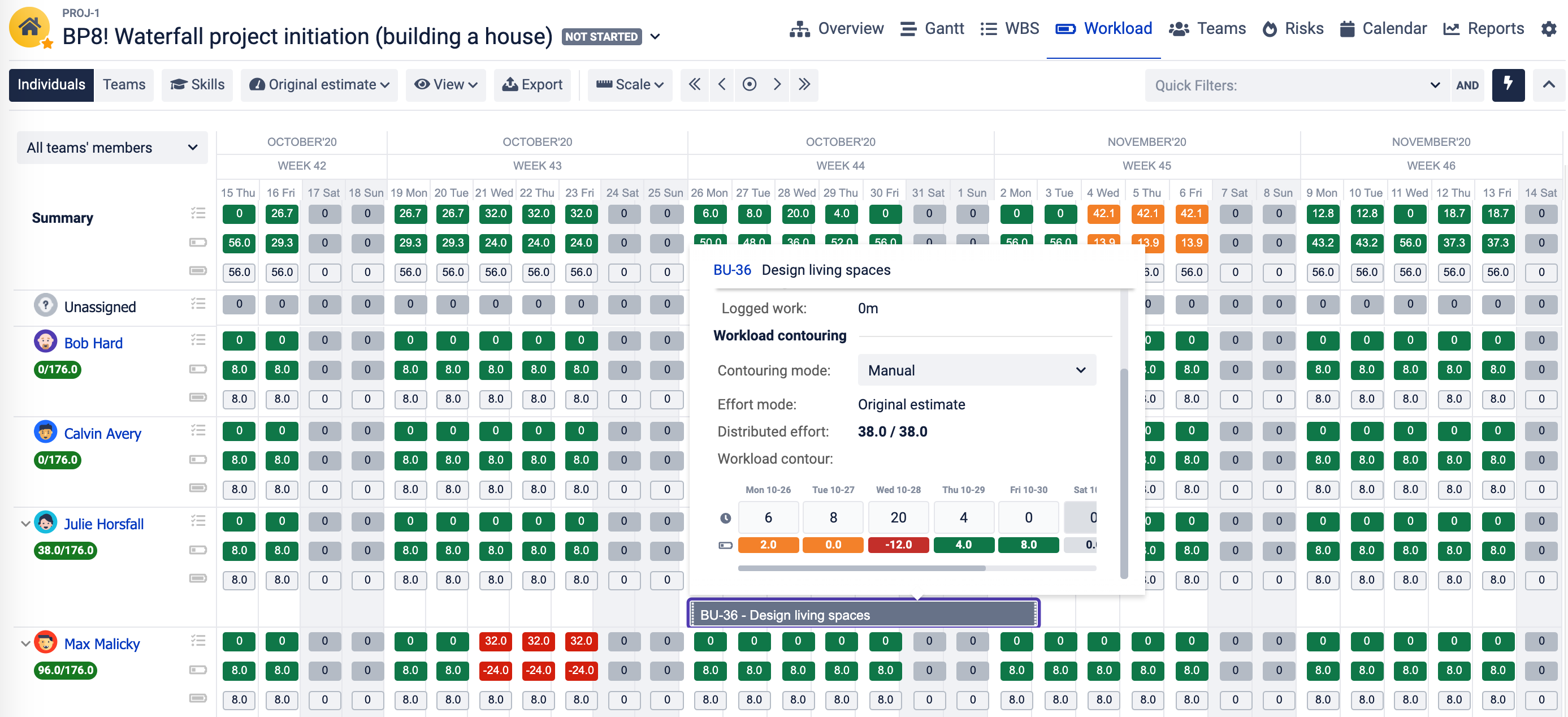
| Resources | Workload contouring | Change workload distribution for a given task. Workload contouring allows you to specify how the effort of an assignee is distributed across a task period. |
|
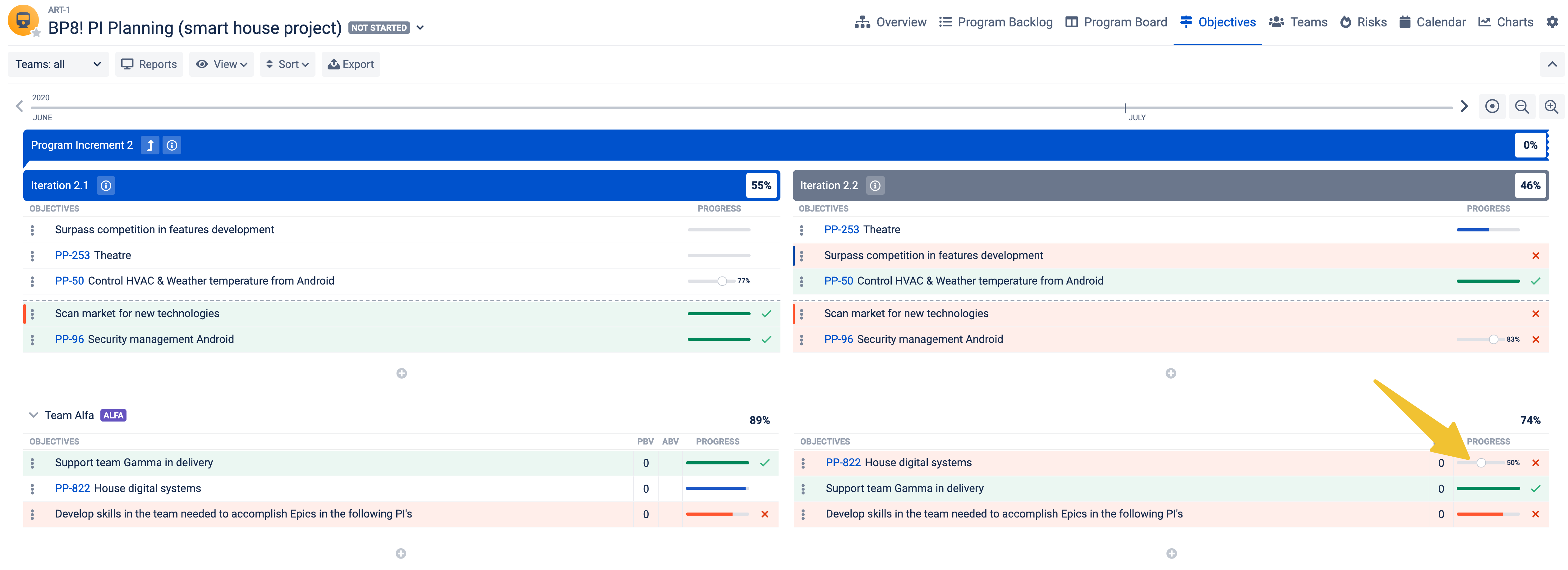
| Roadmap | Roadmap module - Objective progress sliders and Heat map mode | The progress is now displayed next to each objective so that you can monitor and update the progress. |
|
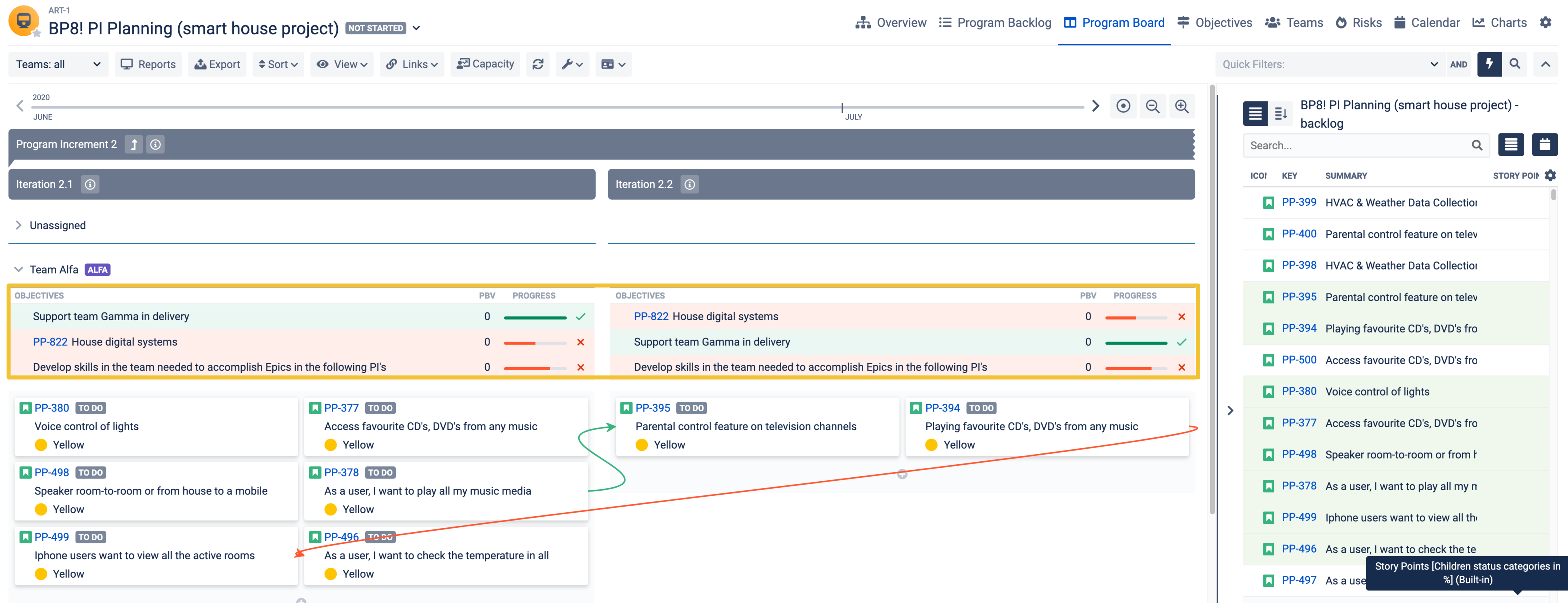
| Board | Board module - Objectives can be displayed together with task cards | Integrate the Roadmap with the Board module and display team objectives and the committed tasks all in one view using the Board to know how each team contributes to achieving the objectives. |
|
| Calendar | New module | Another brand new module is here! Check our your current and upcoming tasks using the Calendar module. |
|
| Roadmap | Roadmap module - Heatmap mode | You can now color code your objectives based on the status or use custom colors such as the traffic light to mark the ones which are at risk. |
|
| All | Absences made by user on a User profile page | Users can file absences using their profile page (App administration access is no longer required). |
|
| All | Box switcher | The Box switcher is as mini version of the Hierarchy mode of the Overview module and it shows all Boxes together with the Box structure. You can now use the Box Switcher to easily shift between different Boxes and their hierarchy when working with different modules. |
|
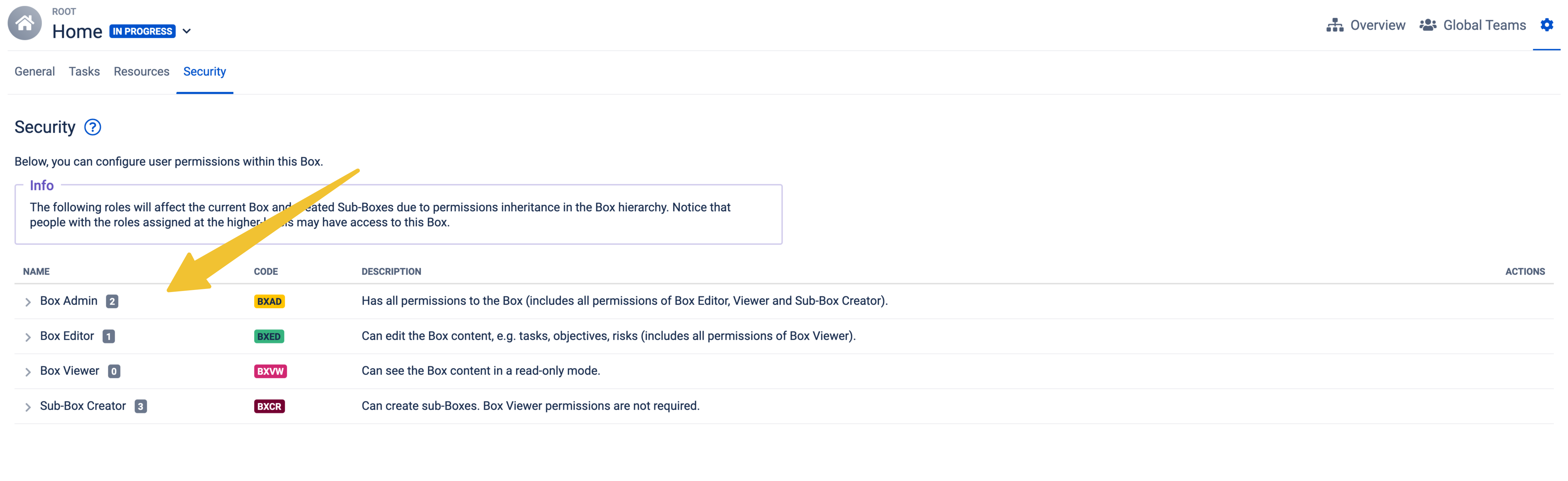
| All | New security roles | The security roles include two global roles - App User and App Admin. At the Box level, we have added a new role which allows users to create sub-Boxes |
|
| All | Inheritance mode | When creating a new Box type or moving a sub-Box to a different parent Box, thanks to the Inheritance mode, the Box type configuration can be passed on from the upper-level Box type to the sub-Box type. The are three Inheritance modes which determine whether users will be able to customise the Box settings. Inheritance modes can be set for:
|
|
| All | New preconfigured Box Types (BigPicture Enterprise) | Configuring the App is now much easier and faster! Box Types are templates for creating Boxes and make the App easier to use. You can now configure your Boxes and apply the configuration to newly created ones or inherit the configuration from upper-level Boxes. Also, bulk change your Box configuration to focus on your work.E With new out of the box preconfigured Box types you can start working with your favourite methodology in no time:
|
|
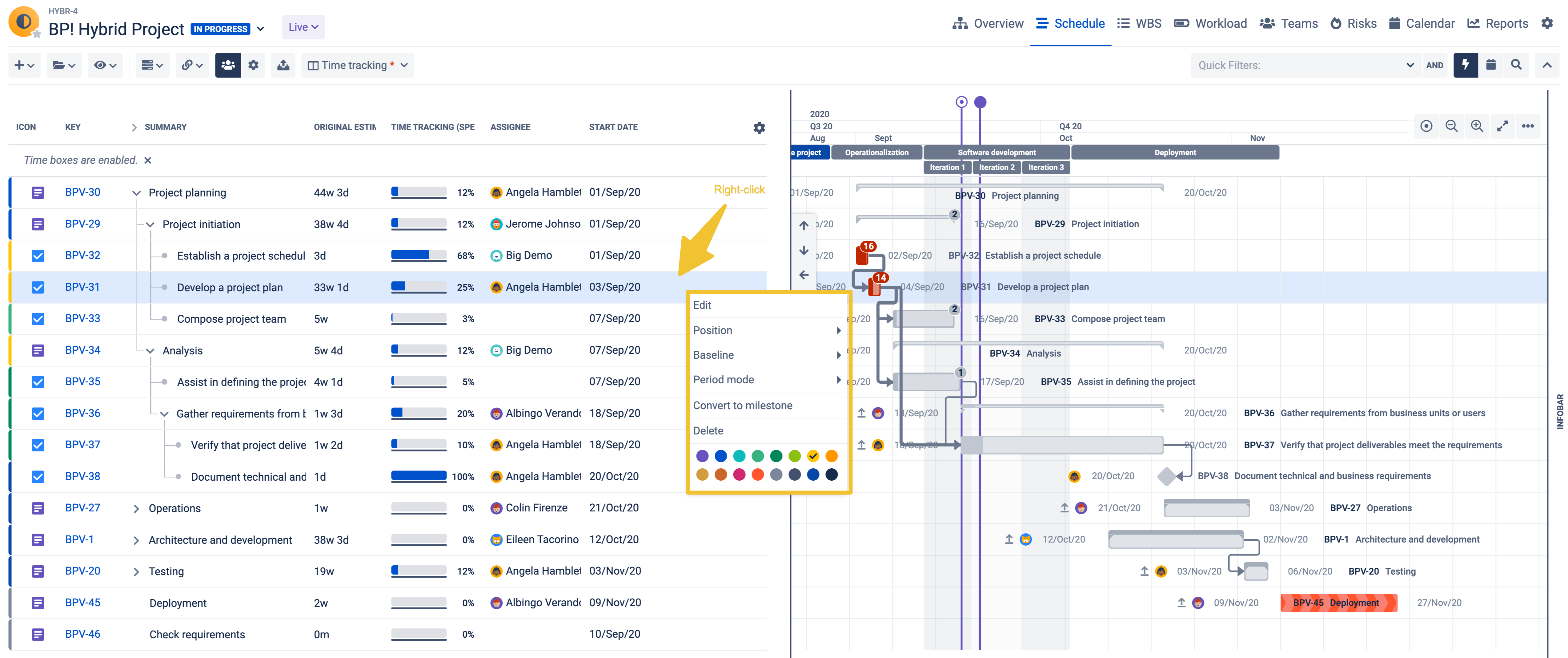
| All | Right-click dialog | Right-click opens new possibilities, whether you want to change the status of a Box or a color of a taskbar just right-click to open a dialog with all the commonly used features. |
|
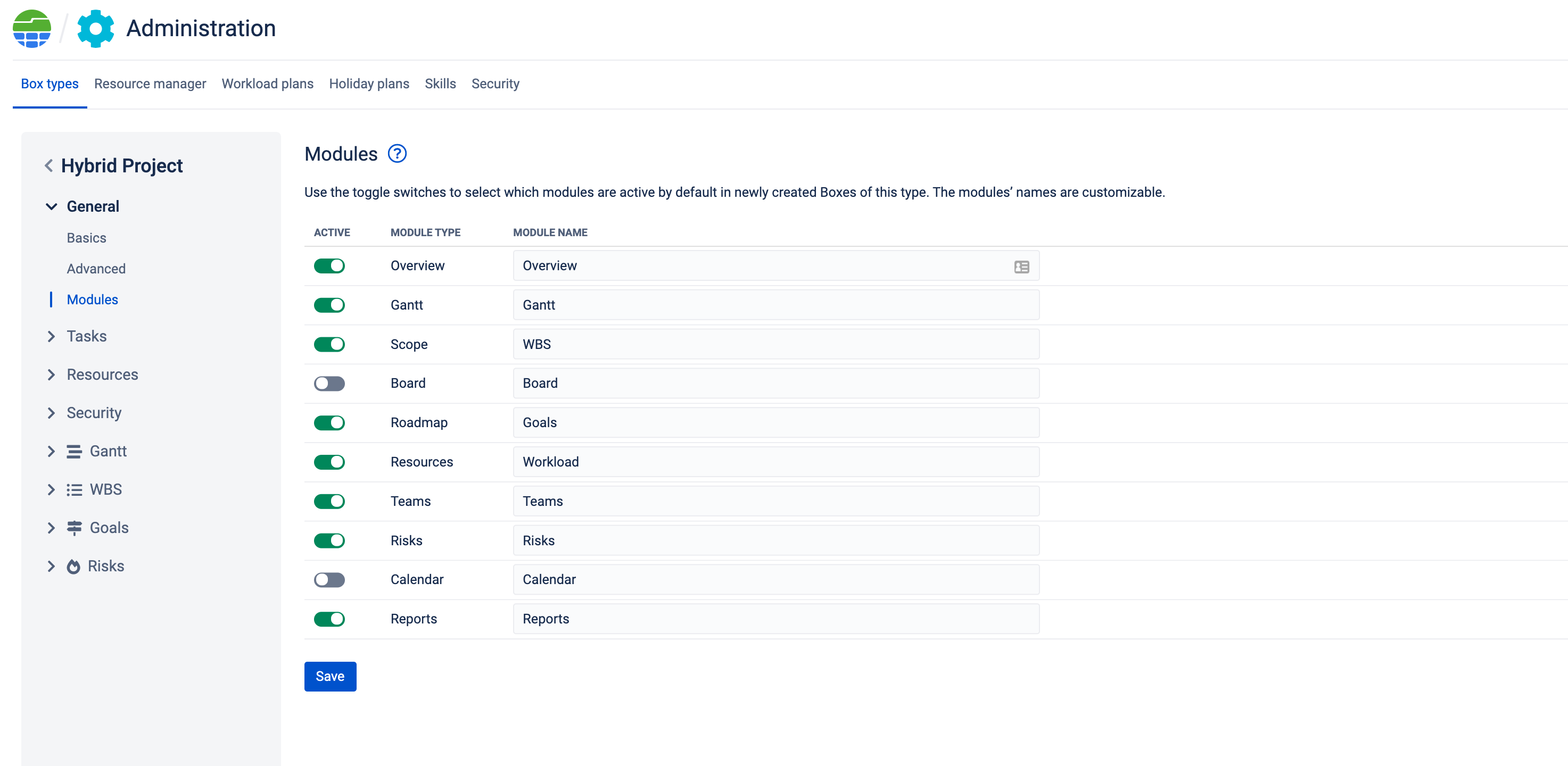
| All | Module names | Another highly demanded feature is here! You can now change the terminology and call your modules just like you do at your organization. The modules can be now renamed and you can do that at the Box Type levels and bulk change all used names or in the Box configuration. |
|
| All | Box configuration - Add new Tool | Do you want to see an even bigger picture? Now you can add new tools and connect with Trello. Once connected, you will see aa new list of items which can be synchronized:
|
|
| All | New fields (multi-platform) | Integration with connected such as Trello or other Jira instances required some unification of the commonly used fields so we have added built-in fields such as the status, start date, color, skills etc. to assure that the correct information is displayed once the filed is added to a Column Views or Card Views. |
|
| All | Enhanced JQL | BigPicture 8 introduces its own set of JQL syntax functions. Using the enhanced JQLThose functions can search items based on data stored exclusively in the App's database (i.e. Box properties, soft links, etc.) |
|
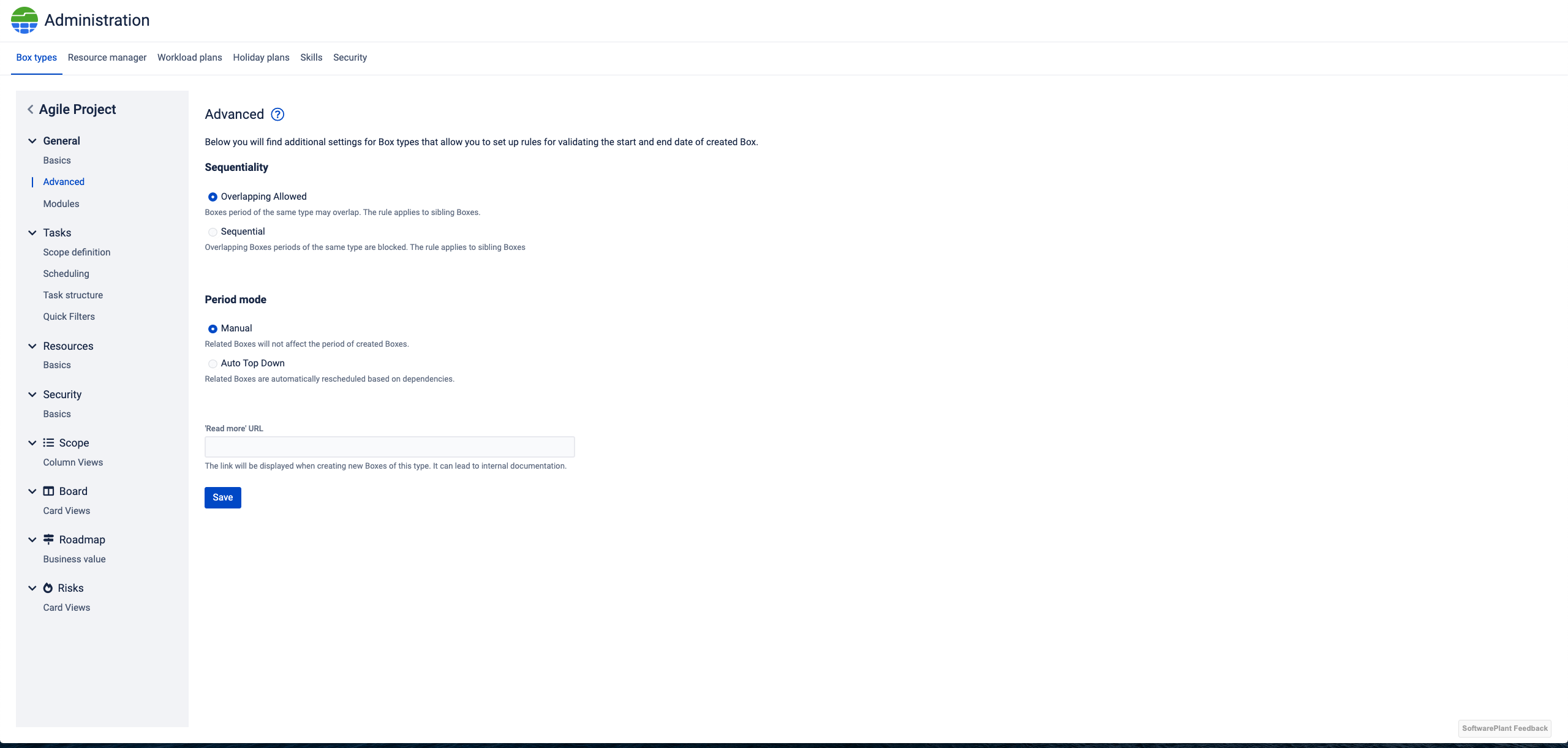
| Business administration | Box period mode | Structure your Boxes like the tasks on your Gantt using the Auto top-down or manual mode. |
|
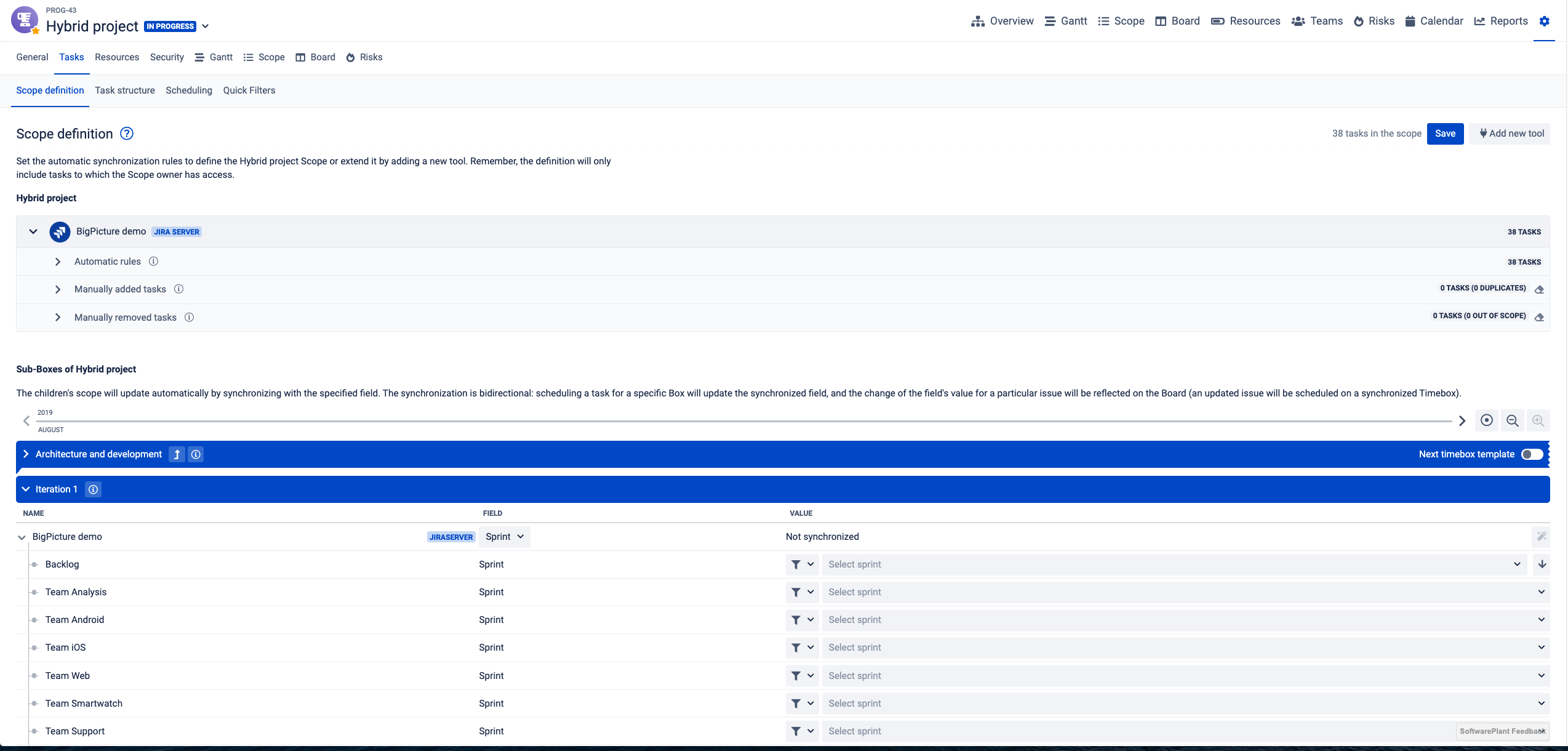
| Box configuration | Sub-Box synchornization | The Sub-Box synchronization can be now set in the Box configuration. |
|
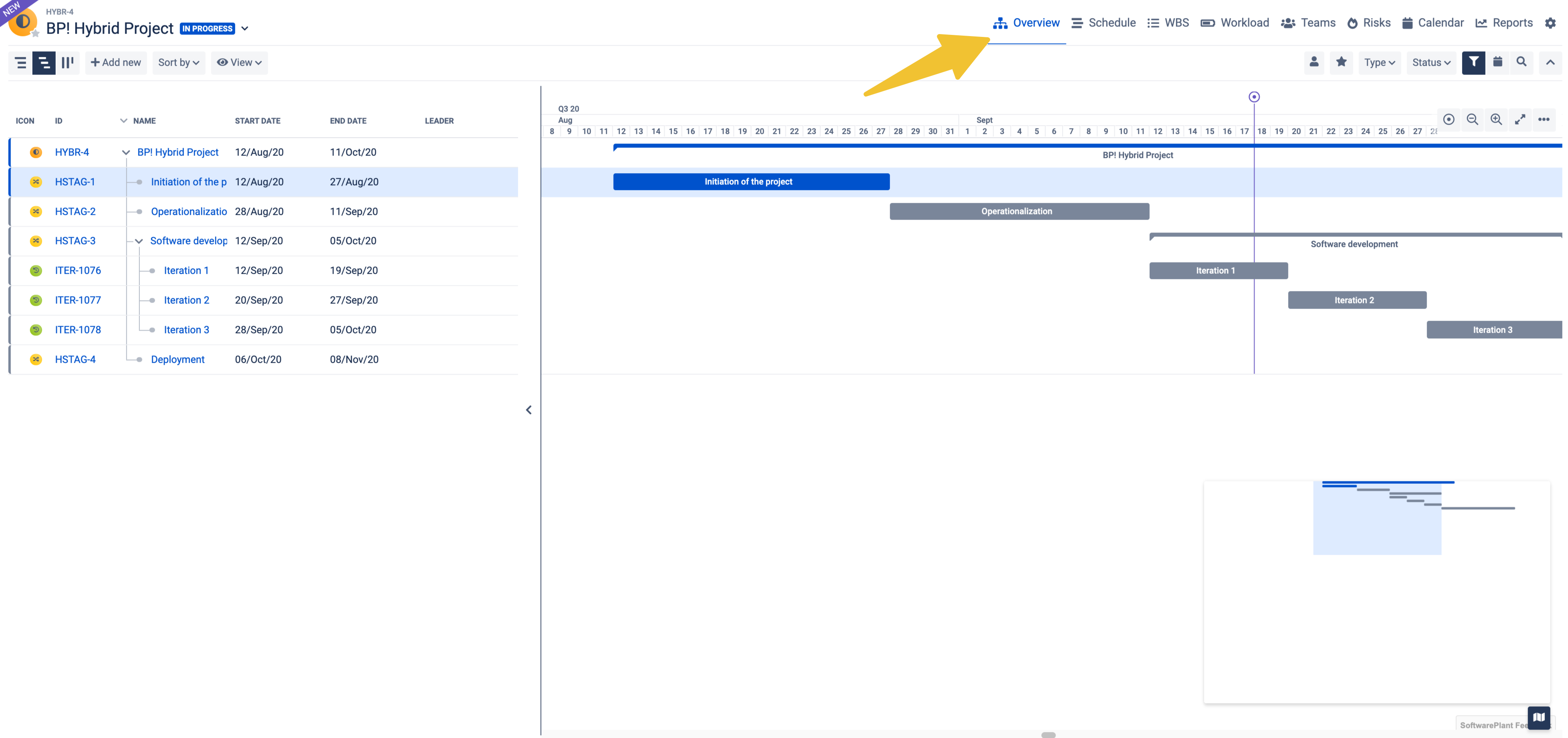
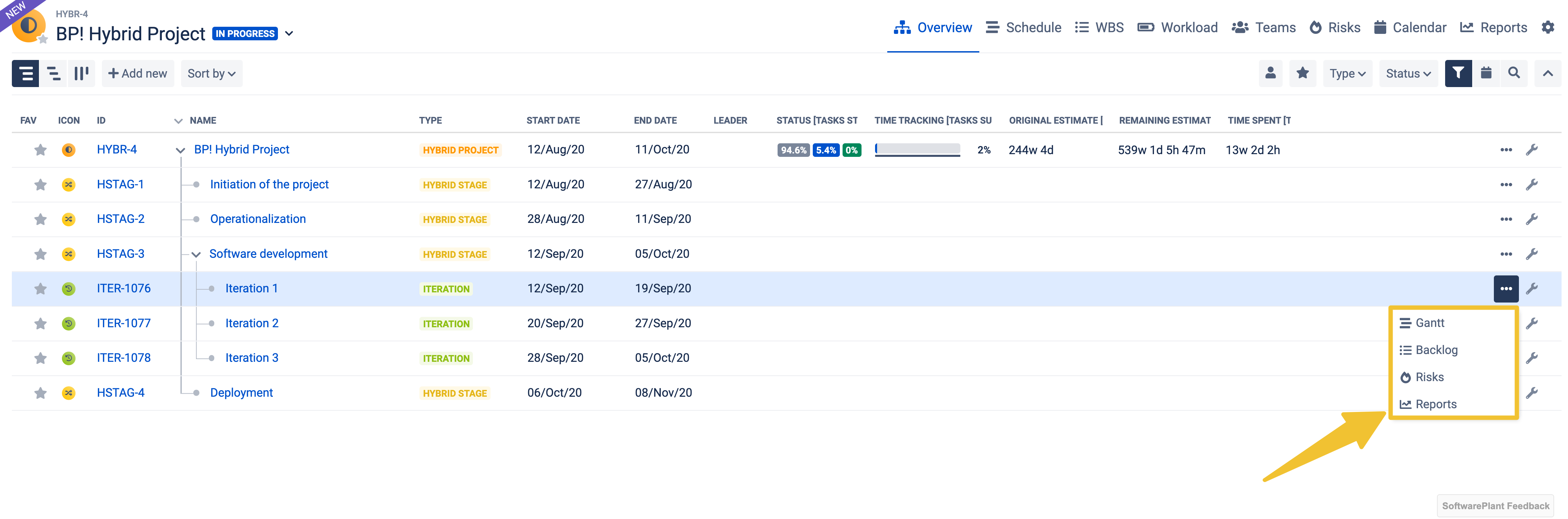
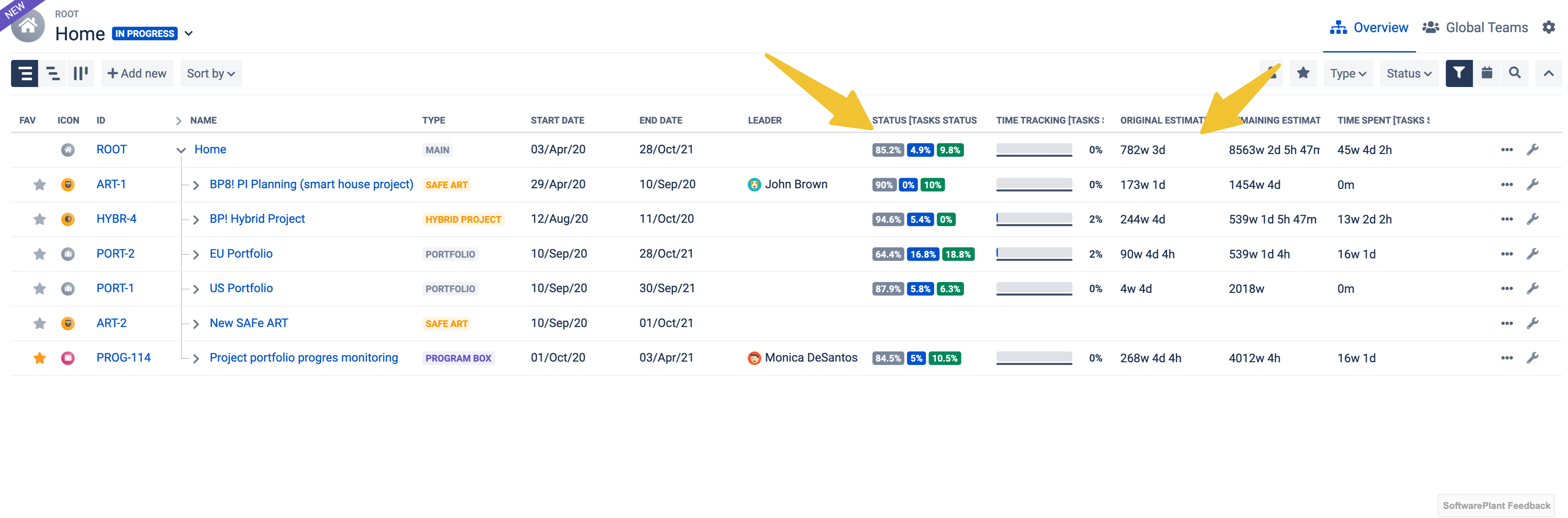
| Overview | New module - Overview | The Overview or the command centre is now a module which means that you can manage your Boxes and their sub-Boxes using three different modes:
|
|
| Overview | Modules available for each Sub-Boxes | New concept of managing work allows you to narrow the scope of your work to a predefined Box structure. This way, at any time, you have all the features as you can use all different modules and just switch between your Program Increment, Iteration, Phases or any in other words different Boxes which you have defined. |
|
| Overview | Program Wizard | The Program Wizard was removed and Cloning and Import features were moved. Creating a new Box with sample data is not possible anymore. | |
| Overview | New aggregations and columns added in the Hierarchy mode | The Hierarchy mode now provides an real overview of all you work in BigPicture. Thank to the new columns and aggregations you can check and monitor the status or time tracking progress for each Box and sub-Boxes as well. New aggregations and columns include:
|
|
| Gadgets | New Gadgets for Jira dashboards and Confluence pages:
| Show your Boxes with and their structure using this brand new Gadget. New Gantt module means that there is a brand new Gadget with the Resources panel and the Infobar showing the most important data. |
|
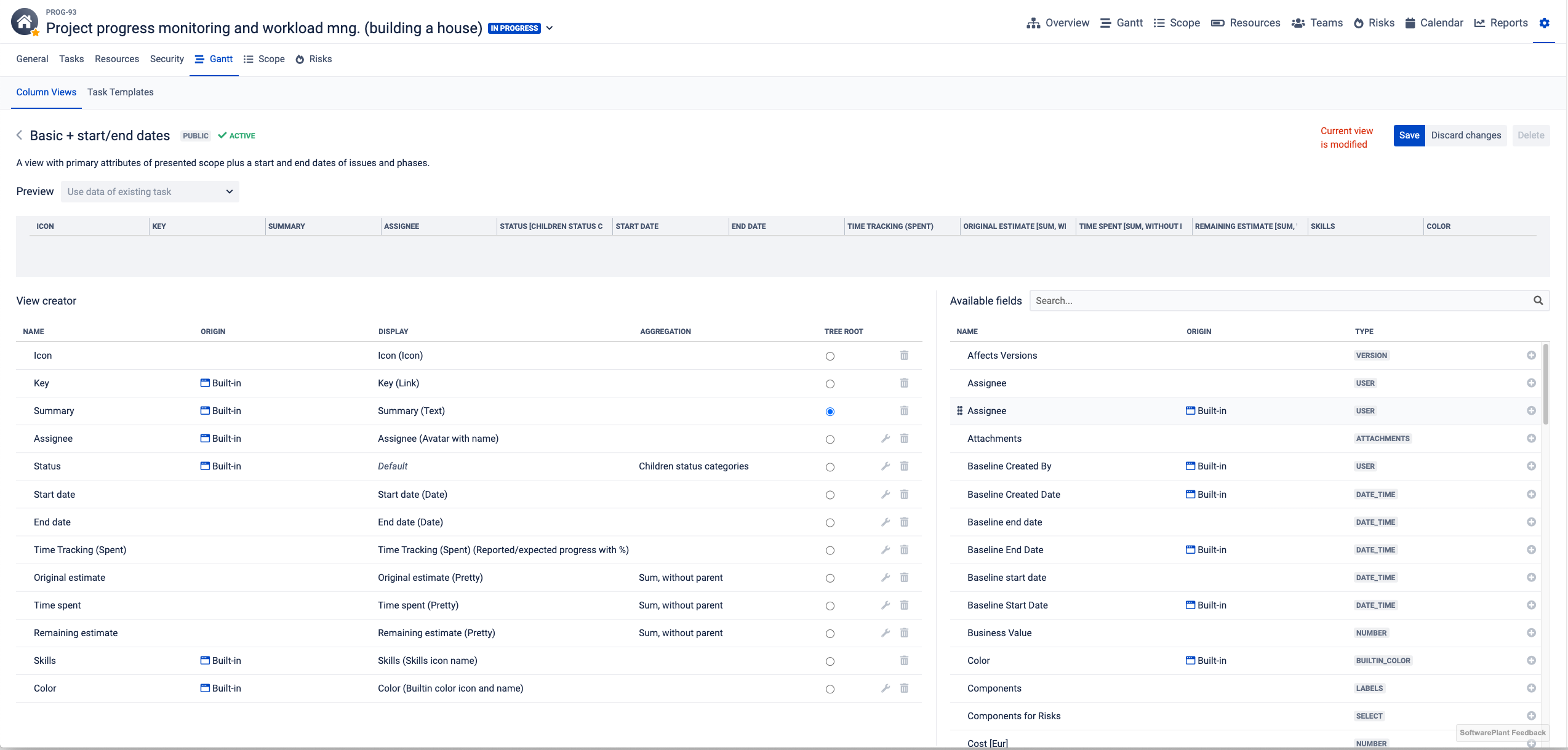
| Gantt | Column Views | Manage you Column View directly using the Gantt's interface. Add different fields as columns and change the way data is displayed and aggregated. | |
| Gantt | Group tasks | Group your task using color coded groups and aggregate data within each group. | |
| Gantt | Critical path | Highlight tasks which impact the duration of your Project. View the list all you tasks on the critical path and find them with a single click using the Inforbar. |
|