


 Excel for Confluence
Share content from your Excel spreadsheets in customizable tables and charts — right within Confluence
Description
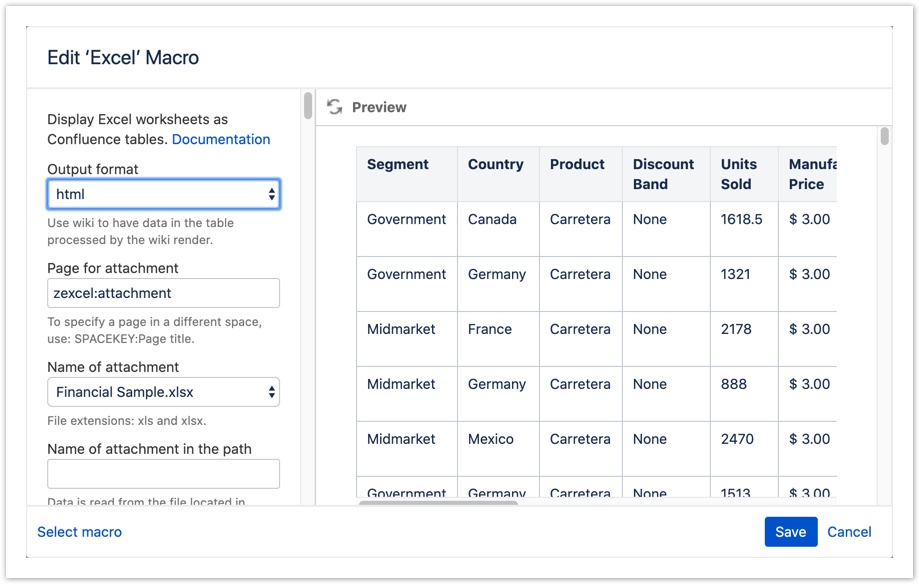
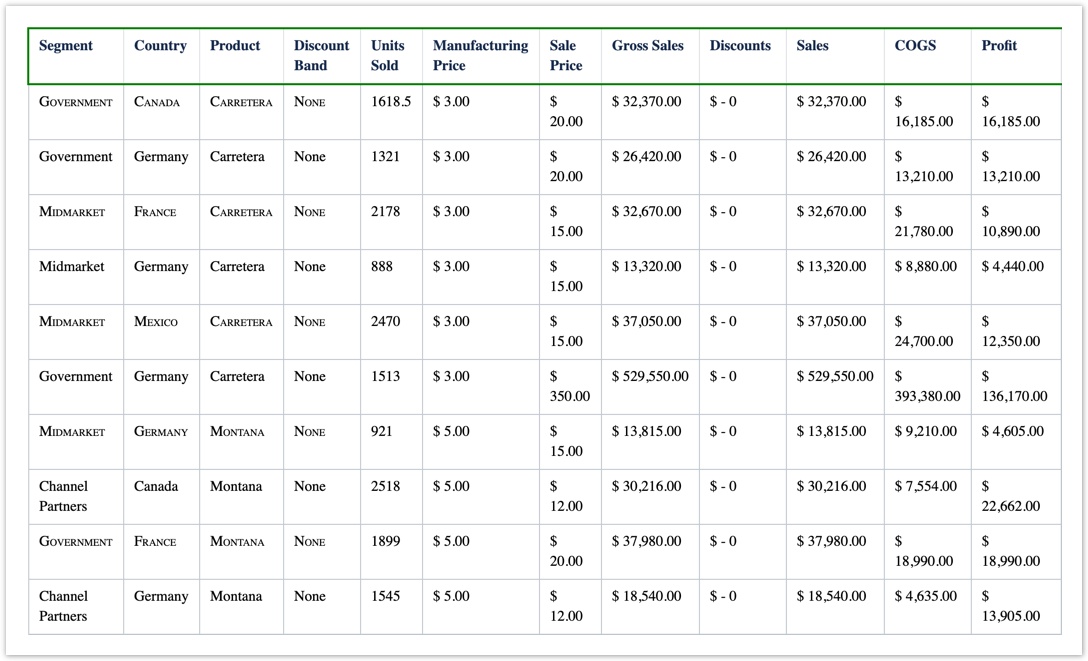
Excel for Confluence allows you to access, format, and share data from an Excel spreadsheet as a table right within your Confluence pages.
Features
- Convert your worksheets into native tables
- Access data from Excel files from an attachment, a URL, or a profile
- Work with one or more worksheets in the Excel file(s)
- Format any of the columns, even the hidden columns of the worksheet, with your own styles
- Work with your favorite table features such as sorting, column totals, and row numbering
- Displays most Excel formulas
- Compatible with the Chart macro to create charts or graphs (Server/Data Center only)
- Embedded HTML restricted to authorized users with Macro Security for Confluence (Server/Data Center only)
Related apps
 |
|
 |
|
More information
 |
|
Gallery

Log a request with our support team.
Confluence®, Jira®, Atlassian Bamboo®, Bitbucket®, Fisheye®, and Atlassian Crucible® are registered trademarks of Atlassian®
Copyright © 2005 - 2024 Appfire | All rights reserved. Appfire™, the 'Apps for makers™' slogan and Bob Swift Atlassian Apps™ are all trademarks of Appfire Technologies, LLC.